


Installing CalenGoo on more than one device or reinstalling it
After you have bought CalenGoo once, you can install it on additional Android devices that you own and that are linked to the same account. In the same way you can also reinstall it on your existing Android devices, e.g. after accidentally deleting CalenGoo or resetting your device to factory settings.To download CalenGoo again (for free) you have to download it from the same store and using the same account that you used for the original purchase. If you are not sure where you downloaded it from and still have it on an old phone or tablet, you can start it and tap "Settings > Information". There you can see where you bought it from (in the second row, e.g. "Google Play" or "Amazon").
Google Play Store

https://support.google.com/googleplay/bin/answer.py?answer=113410
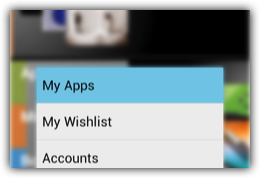
If it doesn’t appear in the “My apps” section, please ensure that you are using the correct Google account. If you have linked your phone to multiple Google accounts, you may have to press the menu button in the “Play Store” app and tap “Accounts” to choose the correct Google account, the one that you used to buy CalenGoo.
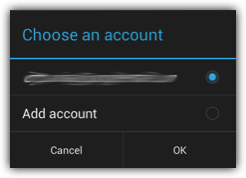
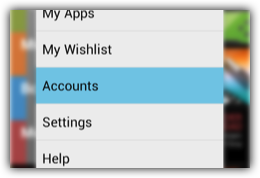
If you still cannot find it, then please check if you really bought it from Google Play and not e.g. from Amazon: Use the Google Play Purchase History or Google Wallet and check if you can find the order. If you have bought it with a different Google account, just add that account as an additional account in the "Settings" app.
If you think something is wrong with your Google Play account you can contact the Google Play support by email or phone.
And you can try the steps here to fix it yourself: Play Store won’t open, load, or download apps
Another option to install apps is to open http://play.google.com on your computer. There you can trigger an installation of apps on your phone. I.e. after you have selected an app to be installed, your phone will automatically download and install that app a few seconds or minutes later.
If you think something is wrong with your Google Play account you can contact the Google Play support by email or phone.
And you can try the steps here to fix it yourself: Play Store won’t open, load, or download apps
Another option to install apps is to open http://play.google.com on your computer. There you can trigger an installation of apps on your phone. I.e. after you have selected an app to be installed, your phone will automatically download and install that app a few seconds or minutes later.
Amazon
Amazon App Store app
Just start the "Amazon App Store" app, press the menu button and choose "My apps". Select the "Cloud" tab and download CalenGoo from that section.
If you have any problems doing this, e.g. if Amazon tries to charge you again, you can contact Amazon’s support by clicking the "Contact Us" button on the right side of this web page: Amazon support