


Displaying week numbers
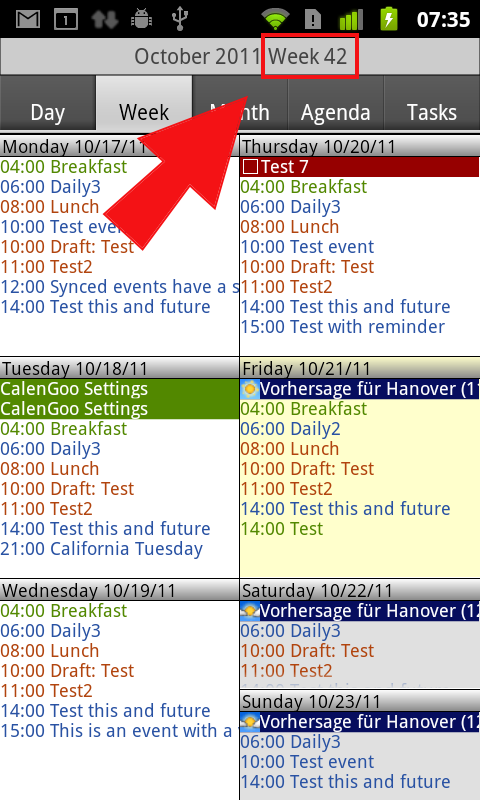
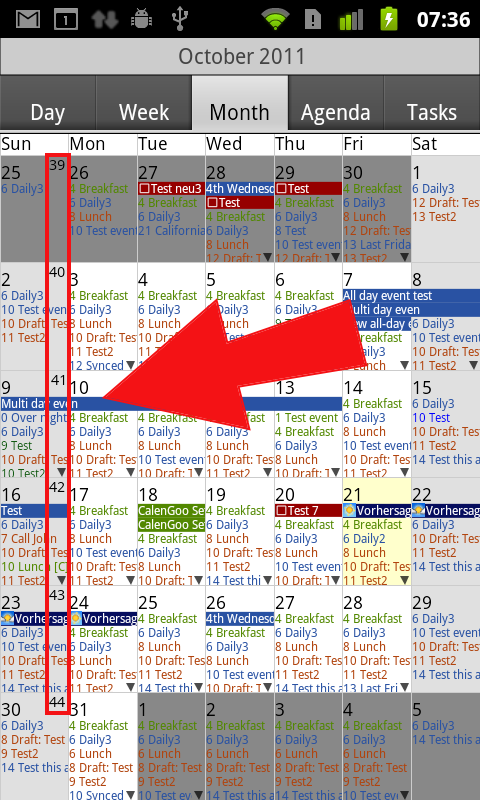
In CalenGoo you can display the week numbers in all views. To enable it, just enable it for the different views:- “Settings”, “Display and Use”, “Day View”, “Display week number”
- “Settings”, “Display and Use”, “Landscape day view (week)”, “Display week number”
- “Settings”, “Display and Use”, “Week View”, “Display week number”
- “Settings”, “Display and Use”, “Month View”, “Display week number”
- “Settings”, “Display and Use”, “Agenda View”, “Display week number”
Computation of week numbers
Week numbers can be computed in two different ways:- Country specific week numbers (please see the Wikipedia article here: http://en.wikipedia.org/wiki/Seven-day_week#Week_numbering)
- ISO week numbers (please see the Wikipedia article here: http://en.wikipedia.org/wiki/ISO_week_date)
Week numbers in Google Calendar
In Google Calendar you can view week numbers by subscribing the "Week numbers" calendar. Just sign in to Google Calendar on your computer, click the gear icon in the upper right corner and then "Settings > Calendars > Browse Interesting calendars > More". There you can click on "Subscribe":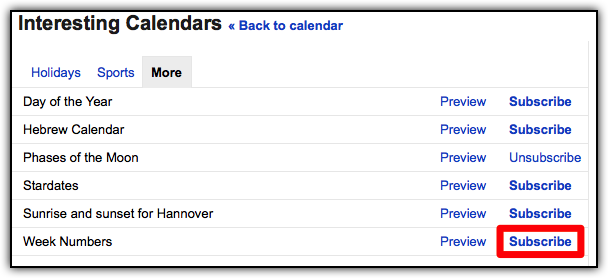
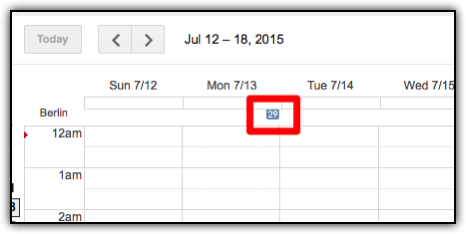
Afterward the week numbers are displayed as small numbers at the top of the calendar: