English
Deutsch
Introduction
Tutorial
News
Store
Buying CalenGoo
Additional devices
Platforms
Support
Overview
Location
Impressum
Documentation
Installation
Calendars
Calendar selection bar
Missing events
Public Calendars
Event Colors
Accounts
Configuration
Sync targets
Lightning/Sunbird
Web Calendar ICS
Change password
Convert to OAuth2
ownCloud/CalDAV
Tasks
Tasks in events
Problem syncing the due date
Shared calendars
Stop sharing calendars
Holidays/Sports
Background color
Features
Birthdays
Outlook/Exchange
Date/Time format
Without Google Apps
Kindle Fire
Nook
BlackBerry
Importing events
New phone
Reinstall
License problems
Menu button
Permissions
Android Wear
Evernote
Trial version
Configuration
Edit
Recurring events
Reminders
Detail view
SMS reminders
Email reminders
Pop-up reminders
Mute/vibrate
Spoken reminders
Customer reminders
Copy
Drag&Drop
Icons
Default calendar
Colors
New events
Detail view
Deleting events
Select attendees
QR Code
Time Picker
Templates
ICS Import
Dropbox attachments
Attachments
Views
Advanced
Sync problems
Logfile
Upload problems
Download problems
Fix task sync problems
Deleting calendars
Multiple devices
Technical Info
Google Calendar Sync
Google password
Duplicates
Google Database error
Deleting events
Google shared calendar problems
Widgets
Scrollable Widgets
Lock screen
Resizable widgets
Widget problems
Voice Widgets
Backup
ICS Export
Transfer
Automatic backups
Recover
Missing events
Undelete Events
Internal error
Synchronization
Week numbers
Change notifications
Weather calendar
Time zones
Facebook
Reservation/Booking
Red dashed border
Completable events
Computer/iCal/Outlook
Lightning
SD card
Print
Tasker
Keywords
Desk/Wall
Icon
1.0.183 for Android™
Resizable widgets
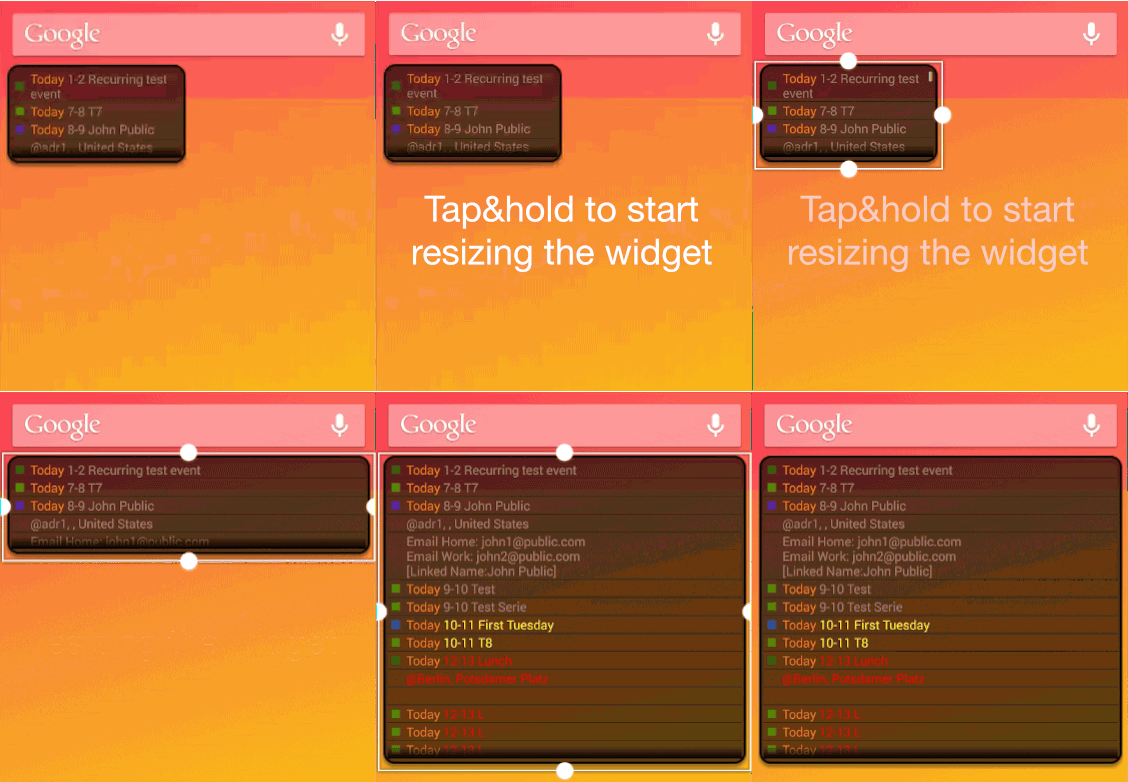
Most of CalenGoo’s widgets are resizable under Android 3.1 and newer. Just long press the widget to select it and then resize it:
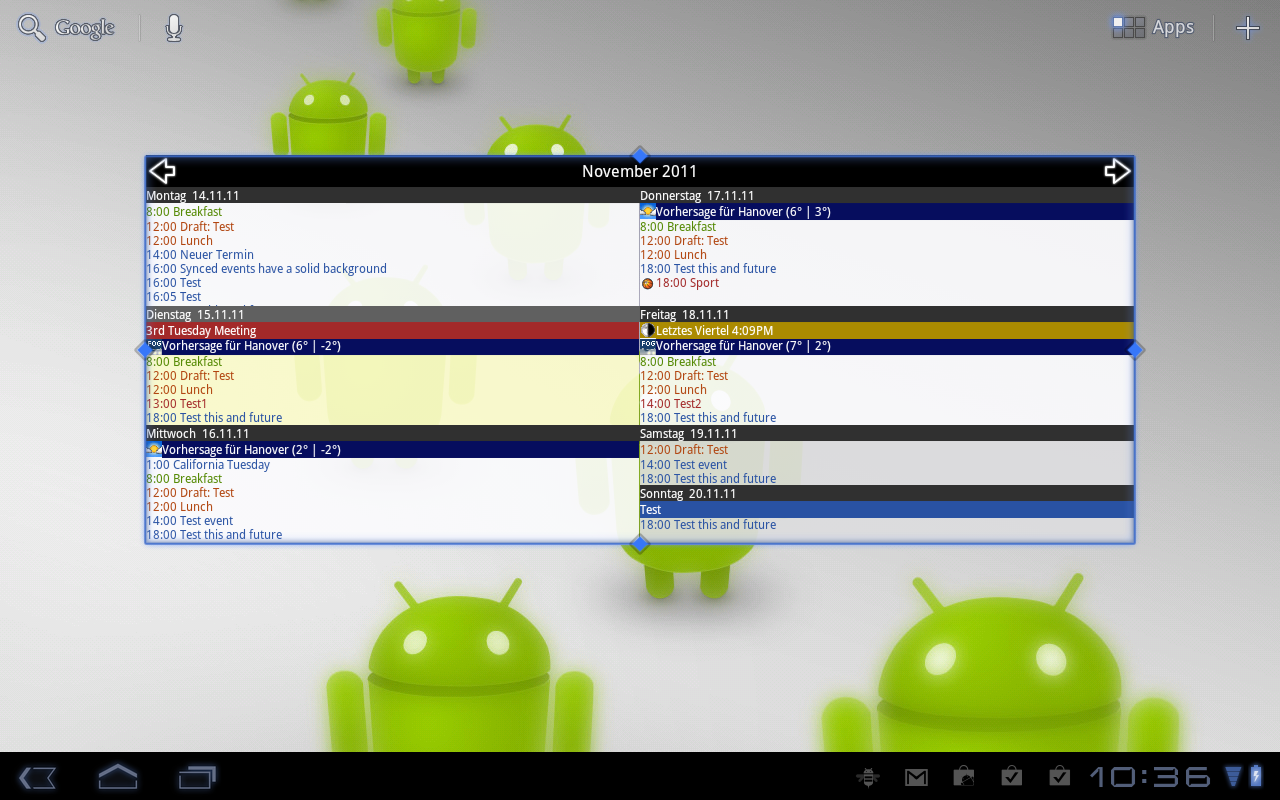
This way you can even use the widgets on a large tablet screen: